
Anomalous Improvements Beta Test!
Greetings, Scientists!
Today, we’re excited to introduce a major performance and visual update to the Black Mesa Public Beta Branch! The Black Mesa Research and Development team has been working around the clock to deliver performance optimizations and graphical improvements throughout the facility, along with a brand-new UI!
To celebrate, Black Mesa is currently 40% off during the Steam Autumn Sale, running Oct 1- Oct 8, 2026.
Performance Optimizations
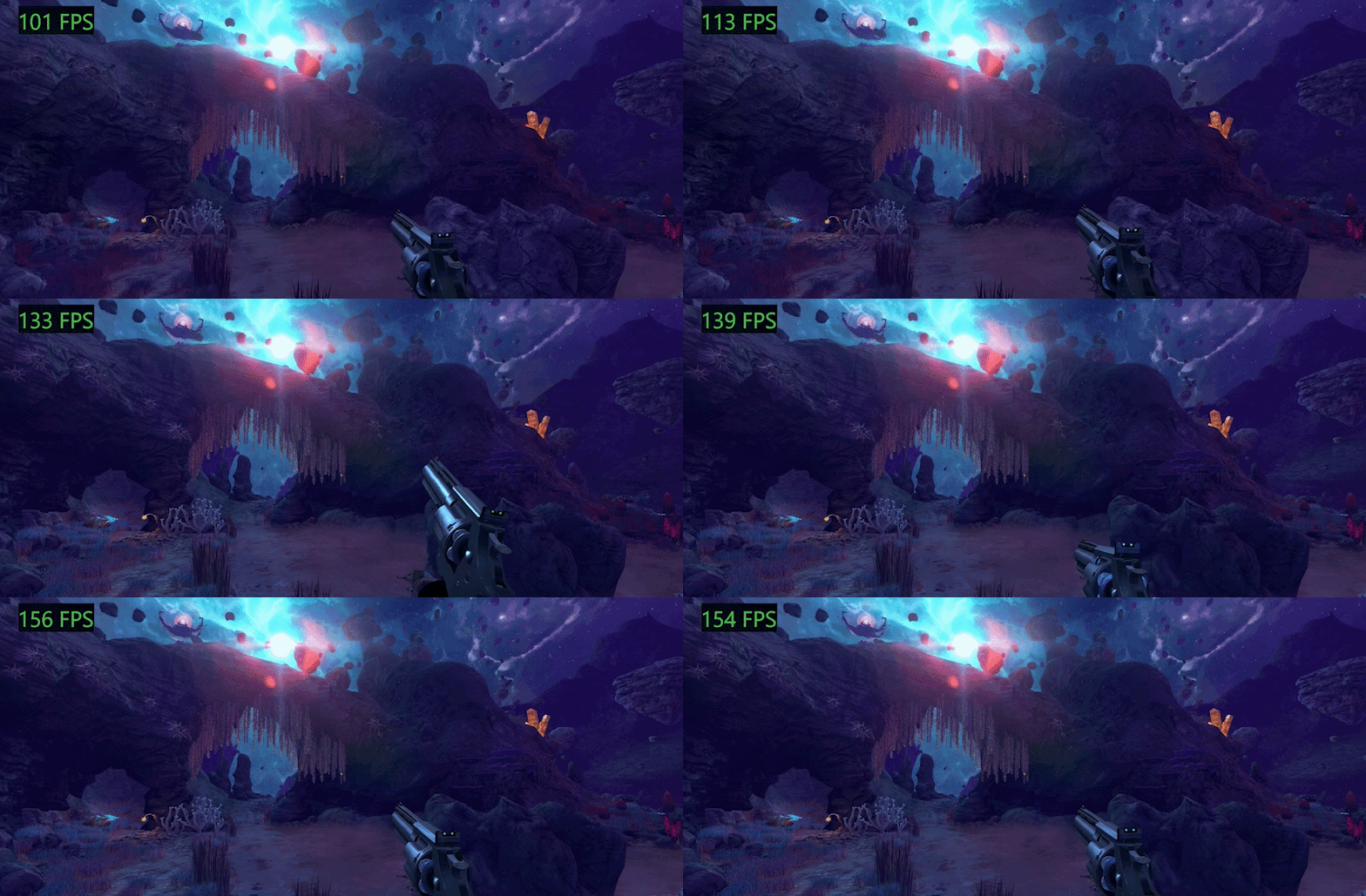
We’ve made significant performance improvements across many environments.
Expect higher frame rates and smoother performance in particularly demanding areas, including the Xen chapters.
Introducing Parallax Corrected Cubemaps
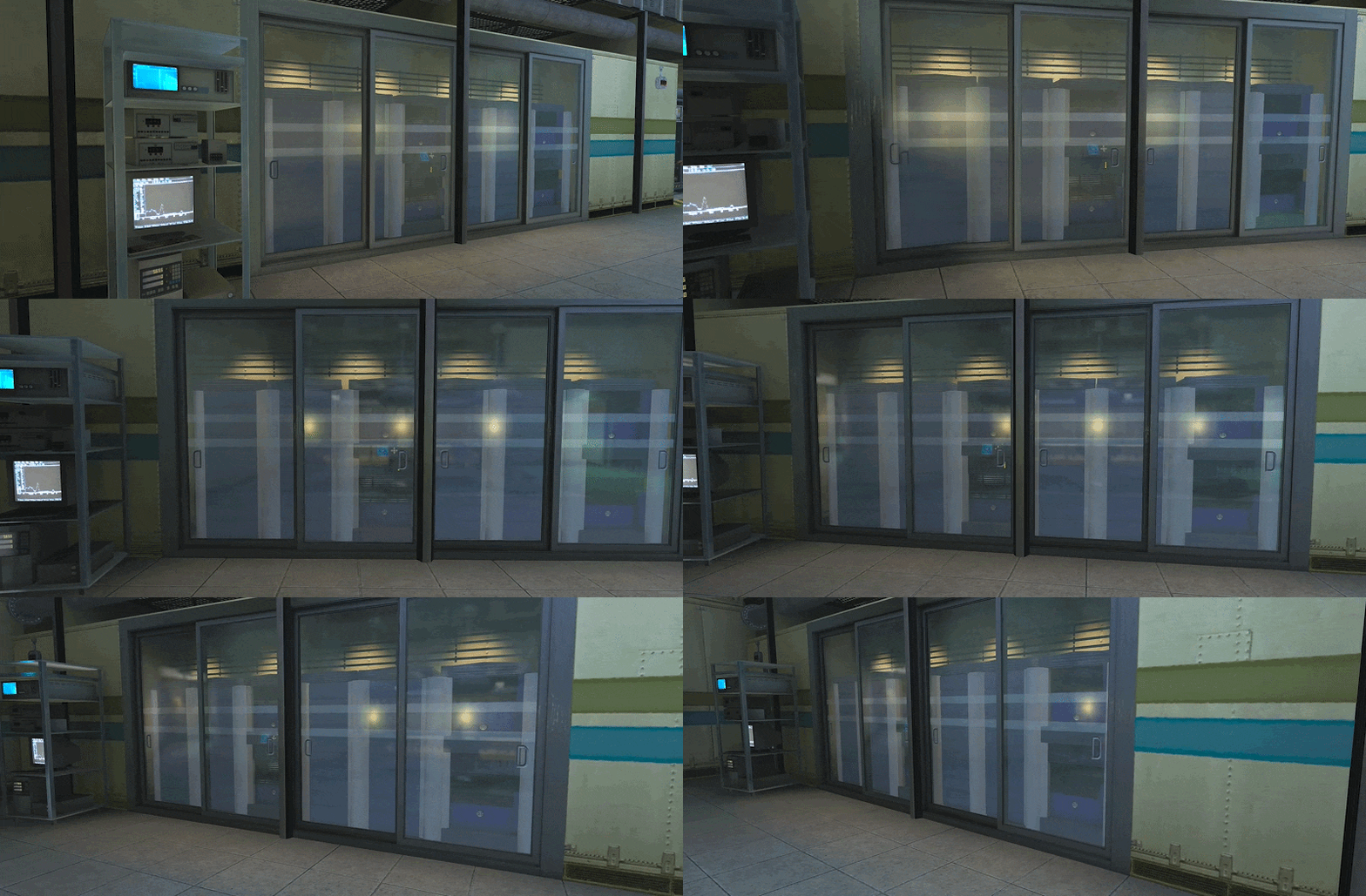
We’re introducing Parallax Corrected Cubemaps (PCCs), a new rendering technology that improves reflections throughout Black Mesa.
Previously, the game used standard cubemaps to capture the surrounding environment from six directions, stitched those views together into a seamless 360-degree image, and used that image to create static reflections on surfaces.
PCCs take this a step further by projecting those reflections onto a local virtual bounding box, such as a room or hallway. As the player moves through the space, reflections shift with their surroundings, creating a more accurate and convincing result.
Improved Lighting
The team has also vastly improved the lighting model used for baked lighting and fixed a number of bugs in dynamic lighting. This includes:
Improved bouncing lighting
Improved lighting for static props so they blend in much better with the environment
Outdoor image-based lighting for much improved indirect lighting
Improved dynamic lighting through transparencies and bug fixes
Fixes to normal maps that had their green channel flipped, resulting in incorrect lighting
And much more!
[BEFORE AND AFTER GIFS]
Brand-New UI with Full Controller Support
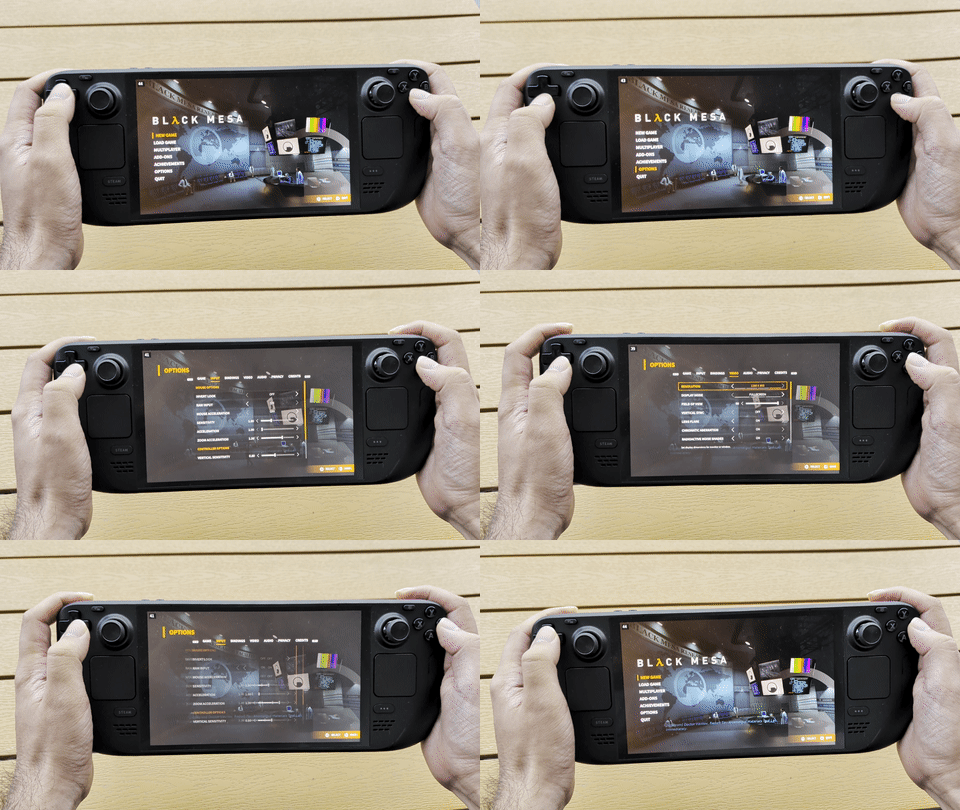
We are happy to present a new, faster, cleaner menu system for Black Mesa! We have received so many requests over the years for full controller support and a more responsive menu. This updated UI is specifically designed to save time, reduce clutter, and make key actions easier. It supports keyboard/mouse, gamepads, and the Steam Controller!
And it looks GREAT on Steam Deck!
We’re Waiting for YOU in the Test Chamber
These graphical improvements are rolling out to the Black Mesa Beta Branch in chapter bundles, so we can test and refine them incrementally.
The first bundle covers Chapters 1-5, Inbound through “We’ve Got Hostiles”.
If you are interested, hop onto the beta branch and help us test these changes!
How to opt in:
Right-click Black Mesa in your Steam Library and select Properties
Click the Game Versions and Betas tab
In the Selected Game Version window, select public-beta[code]
Download the update and launch the game
Report crashes/errors to the #mesa-beta-bash channel in our Discord [link]
We’re particularly interested in hearing about:
Crashes, visual errors, or other regressions
Areas where performance has worsened
Areas where the new reflections don’t look quite right
UI and Steam Deck feedback
Any other issues you encounter while playing
Your feedback will help us catch issues before we roll out these improvements to the Main Build.
We’ll be releasing additional chapter bundles to the Beta branch soon, so keep an eye out for more opportunities to help us put these improvements through their paces.
Thank you for your continued support and participation in developing Black Mesa. We hope you enjoy seeing the game in a new light as much as we’ve enjoyed working on these improvements.
Patch Notes
You can find the full list of major and minor changes included in this update below:
Global
Improved performance game-wide through render culling
Added Parallax Cube Maps to all levels
Adjusted materials to better use env maps/reflections
Improved VRAD lighting for static meshes
Added $halflambert_gbuffer_off to character models using Phong shaders to improve their lighting with dynamic lights
Used “invisible” instead of “noclip” for proper lighting through glass
Fixed light calculation through alpha test and transparent materials (metal grates and stuff like that)
Fixed beta keys not having access to Black Mesa Dedicated Server
Fixed Crossbow scope going weird with new Xog and new dynamic Lights.
Fixed 3d scope not working when NewPostProcess is Disabled.
Fixed many texture normals across the game that needed the green channel inverted to fix lighting errors.
Change flashlight height while ducking so that broken vents do not block flashlight beam
Addressed concerns with our in-game privacy policy and replaced it.
Resolved issue with new ui resolution window mode setting not saved after change
Resolved issue with resolution change in settings cause ui freeze
Resolved issue with workshop ui code cause game crash
Improved support for proper process of showing close captions in Arabic fonts with ligatures
Improved radioactive noise post process effect to resolve problem with white flashing screen when exit radioactive area
UI
Introduced a new refreshed UI with the goal of addressing navigation and UX feedback.
Improved UI performance.
Added proper Steam Input controller detection and button indication across the UI
Fixed issues with the UI taking selfies and appearing in save file thumbnails.
Fixed an issue where the options screen crashed under certain conditions.
Added an “input password prompt” for password protected servers.
Added support for UI themes that we plan to introduce as an additional feature for mods.
Fixed crashes when trying to launch mods via the UI.
You can now select any chapter in a mod from the menu.
Inbound
Fixed overbright pipe in large room in first map
Fixed bad lighting on bridges in large room in first map
Fixed missing wall on building above helicopter
Optimized the rocks in the second map, cutting their vert count by over 50%
Anomalous Materials
Improved locker lighting
Fixed blow dryer having wrong cube map
Closed empty HEV containers to look cool
Fixed black brush faces on hallway upper supports
Added black backing to AM locker room to prevent "fireflies" where meshes meet BSP
Fixed broken scientist choreography at the start of the second AM map
Fixed overlay stripe for lab names
Fixed floating light going into test chamber
Fixed micro leak causing a white line on wall
Fixed small texture alignment in the test chamber
Unforeseen Consequences
Fixed smoothing and adjusted lightmaps
Closed empty HEV containers to match AM
Improved locker lighting
Adjusted dynamic light in break room to be more accurate
Fixed signs next to red valves that were translucent
Fixed hot spot in bathroom start caused by fill light
Fixed bad lighting on hand dryer wall
Fixed guideline overlay gap
Fixed overloaded shadowmap artifacting in early lab.
Office Complex
Fixed up/adjusting lights
We’ve got Hostiles
Changed ladder in elevator shaft so it looks broken to prevent confusing players.
Fixed visible gap in railing.
Added cover and health to upper walkways.Gagged some soldiers.
Blast Pit
Moved crashing elevator button to back of elevator & removed flag that allowed it to be activated on taking damage
Added ladder near the crashing elevator that allows access down if the player is not on the elevator when it reaches its stopping point
Fixed oxygen puzzle wheel not properly triggering ready status on occasion
Residue Processing
Fixed visible building backfaces after the crusher
Forget About Freeman
FIxed destructable rocks in tank battle triggering incorrectly
Editor
Hammer Texture Shaded view with [modelscale] Preview Support
Updated VRAD for better and Faster Compiling
FDG Edits For Clarity (By HECU Collective)
Added descriptions for newLights, XOG settings, and lensflares
Added some notes to env_microphone about what happens when you kill the measure target without killing the microphone
Changed the TargetLight type in newLightSettings from (string) to (targetDestination). This will allow you to use the entity picker and autocomplete.